So far in this mini-series we have a Hello World and a counter loop running on both the Amiga and the Atari ST.
The third building block for the multi-platform roguelike is the tiles. Specifically, the glyphs. A glyph in this context is the single tile character that stands in for floor, wall, door, or monster.
Before we decide which glyph goes where and what the character codes are, it pays to look at every printable character we have to choose from …
Outputting the Whole Character Set
Try this lesson in your browser
Run the same vbcc C ASCII table demo on both 16-bit targets in our in-browser IDEs. Hit Build & Run to see every printable glyph and its decimal code, side by side:
#include
int main(void)
{
    int c;
    printf("ASCII 32..126\n");
    printf("------------\n");
    for (c = 32; c <= 126; c++) {
        printf("%3d : %c\n", c, (char)c);
    }
#ifdef __ATARI__
    printf("Press Enter to exit...\n");
    getchar();
#endif
    return 0;
}
What are ASCII codes?
ASCII (the American Standard Code for Information Interchange) is a 7-bit numbering scheme that maps each English letter, digit, punctuation mark, and control signal to a number between 0 and 127. It was standardised in 1963 and is the lowest common denominator for almost every computer made since.
Not that all of them follow it to the, ahem, letter. Commodore famously has PETSCII, for example. It’s standard enough that computers could speak to each other over telephone lines or drive generic printers without additional frustration.
Modern systems extend this with Unicode, which aims to covers every text in the world. We are sticking to plain ASCII here because every retro target understands it and nothing else needs to.
The loop bounds
If there are 127 characters, why don’t we output them all? Good question!
We loop from 32 to 126 because that is the printable range. If we started at 0 we would send a stream of control bytes to the console, some of which would scroll the screen, clear it, or ring a bell. Starting at 32 keeps the demo safe on both the Amiga and the Atari ST consoles.
char and int, and why we cast
C has a char type that holds one byte, big enough for any ASCII code. There is also int, the everyday integer type. When you do maths on a char it gets promoted to int automatically, though, and that is why the loop variable can be int c even though we are treating it as a character.
The printf has two specifiers:
%3dprints the integer right-justified in a field at least three columns wide. The “3” is the minimum field width. If the number is shorter, printf pads with spaces. If it is longer, the field grows. That gives us a tidy column even though 32 is two digits and 100 is three.%cprints a single character. It takes an integer argument and emits the byte at that ASCII code.
The (char)c cast is not strictly necessary, because printf would handle the conversion anyway. We include it for documentation, showing at this point we are treating c as a character, not a number.
Why this matters for retro systems
Both the Atari TOS console and the Amiga AROS shell use a fixed-width font, pretty standard in terminals.
Unlike the variable width font you are reading this very text in, every character in the shell takes up the same space, and fortunately that is exactly what a dungeon game needs. A 40-column screen really is 40 characters wide regardless of which glyphs are on it. Whew.
As mentioned earlier, some retro machines have their own quirks. C64 PETSCII swaps upper and lower case at certain modes. The Atari 8-bit family uses ATASCII. The Amiga sticks closely to ASCII for the printable 32..126 range. The Atari ST does too, with an extended set above 127 that adds line-drawing pieces, accented letters, and graphics symbols.
While we will not need those immediately for the roguelike, they can come in handy so if you are curious, bump the upper bound to 255 on the ST and you will see what is revealed. On the IBM PC compatibles, Rogue did use an extended characters to good effect, though I found the smiley face for your player character a tad off-putting!
Dungeon Tile Translation
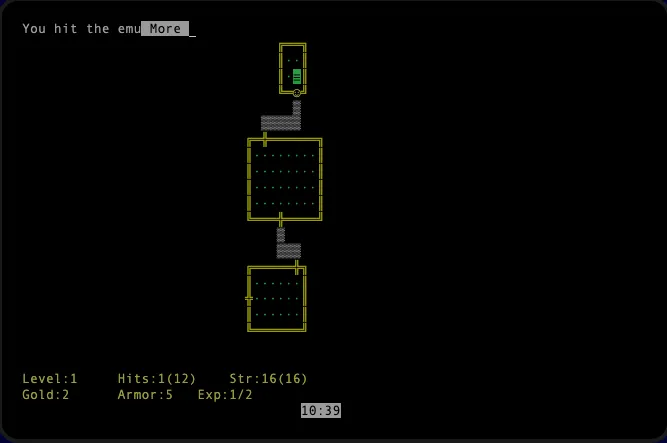
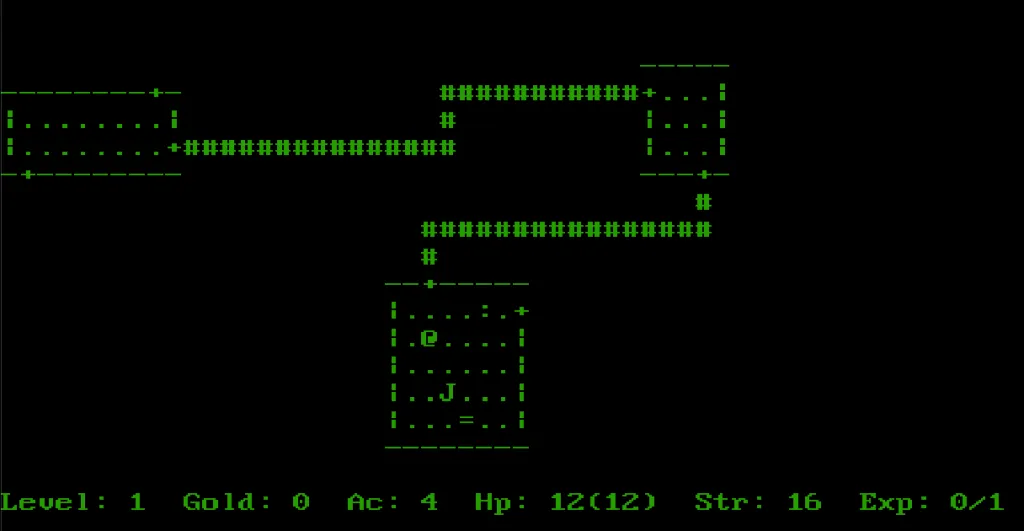
A text-mode roguelike traditionally maps tiles something like this with variations from game to game:
| Tile | Glyph |
|---|---|
| Floor | . |
| Wall / Passageway | # |
| Door (closed) | + |
| Door (open) | / |
| Stairs down | > |
| Stairs up | < |
| Player | @ |
| Enemy | g |
| Boss | G |
Every one of those is in the 32..126 range. The ASCII demo proves both the Amiga and the Atari ST console can render all of them with the same font, which is the difference between a legible dungeon and a frustrating one. If something looks off when you scroll through the demo output, it is the kind of platform quirk we want to catch now rather than during the dungeon build.
Choose Your Weapon
33to47shows just punctuation, the symbols we use for walls and doors.65to90shows uppercase letters: good candidates for boss monsters and special items.97to122shows lowercase letters: classic roguelike footsoldier glyphs.
After a minute of staring at the output on both machines, you will start to feel which glyphs read well at a glance and which ones blur together.
When we draw a dungeon screen, the inner loop walks a 2D grid of cell ids, looks up the glyph for each cell, and prints it. The ASCII demo is the 1D warm-up for that.
Simple Dungeon
Time to put those glyphs to work. A dungeon is just a grid, so we can hardcode one as a two-dimensional array and print it out.
Note that our array does not necessarily store the glyph characters themselves, though it could. Instead we store an id, a number to represent each kind of tile, and a separate lookup table turns that id into a glyph. Change the lookup table and the whole dungeon restyles without ever touching the map.
This splits the map data from how it is rendered. We could even switch away from text to graphics and keep the same maps and map-reading code, for example.
#include
/* The map stores a cell id per square, not the glyph itself. */
enum { FLOOR, WALL, DOOR, PLAYER, ENEMY };
/* One glyph per cell id. Change this table and the whole
   dungeon restyles without touching the map below. */
static const char glyph[] = {
    '.',  /* FLOOR  */
    '#',  /* WALL   */
    '+',  /* DOOR   */
    '@',  /* PLAYER */
    'g'   /* ENEMY  */
};
#define MAP_W 12
#define MAP_H 7
/* A hardcoded dungeon: one number per cell. */
static const unsigned char dungeon[MAP_H][MAP_W] = {
    {1,1,1,1,1,1,1,1,1,1,1,1},
    {1,0,0,0,0,1,0,0,0,0,0,1},
    {1,0,3,0,0,1,0,0,4,0,0,1},
    {1,0,0,0,0,2,0,0,0,0,0,1},
    {1,0,0,0,0,1,0,0,0,0,0,1},
    {1,0,0,0,0,1,0,0,0,0,0,1},
    {1,1,1,1,1,1,1,1,1,1,1,1}
};
int main(void)
{
    int x, y;
    printf("A hardcoded dungeon\n");
    printf("-------------------\n");
    for (y = 0; y < MAP_H; y++) {
        for (x = 0; x < MAP_W; x++) {
            putchar(glyph[dungeon[y][x]]);
        }
        putchar('\n');
    }
#ifdef __ATARI__
    printf("Press Enter to exit...\n");
    getchar();
#endif
    return 0;
}
Try this lesson in your browser
Run the same vbcc code on both 16-bit targets in our in-browser IDEs. Hit Build & Run to see it work:
The map holds a number per each cell. Zero is floor, one is wall, two a door, three the player, four an enemy. The loop iterates over the grid row by row, and for each cell it reads the id, looks up the matching glyph and displays it.
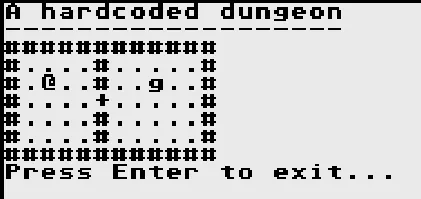
Run it and you should see the same little proto-dungeon on both the Amiga and the Atari ST:
A hardcoded dungeon
-------------------
############
#....#.....#
#.@..#..g..#
#....+.....#
#....#.....#
#....#.....#
############
As with the rest of the series this is the same C on both machines. The only platform-specific part is the exit pause, kept in one #ifdef __ATARI__ block so the ST window stays open long enough to read the output.
Next part
Storing the map as ids rather than baked-in characters will pay off later, when we switch ASCII for graphical tiles on the machines that can manage it, all without rewriting our game code. Next we read a key from the keyboard, and those glyphs in the grid start to actually move around.
Original article by retrogamecoders.com