It’s time to add an “attract mode” and game over screen to the Space Invaders demake. This means forcing the PET to do some things it wasn’t really designed for …
First, let’s talk about how we can fake writing to the PET screen almost like a bitmap display.
Commodore PET Graphical Limitations
Graphics on the Commodore PET requires some different thinking because the usual go-to approaches are just not available. The PET hardware is closer to other computers of the 1970s like the Altair and IMSAI where the screen and keyboard are more of a built-in serial terminal versus the 1980s and onwards computers with fully addressable bitmap displays.
Fortunately, Commodore did supply PETSCII symbols and a 40+ column display within the PET range, and that allows us to produce graphical effects, albeit at low fidelity.
Chunky PETSCII Pixels
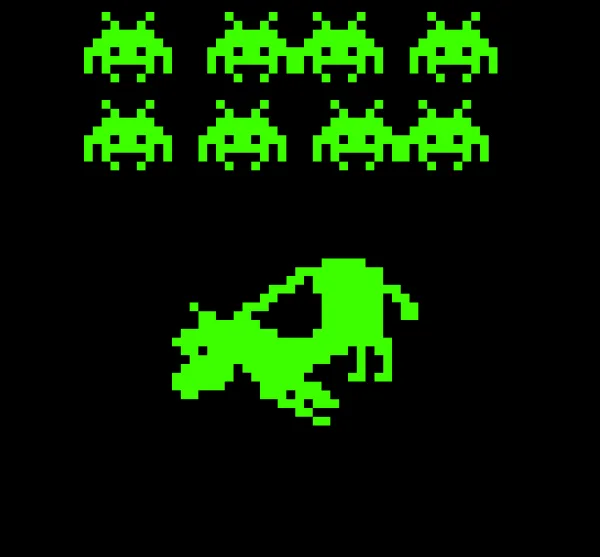
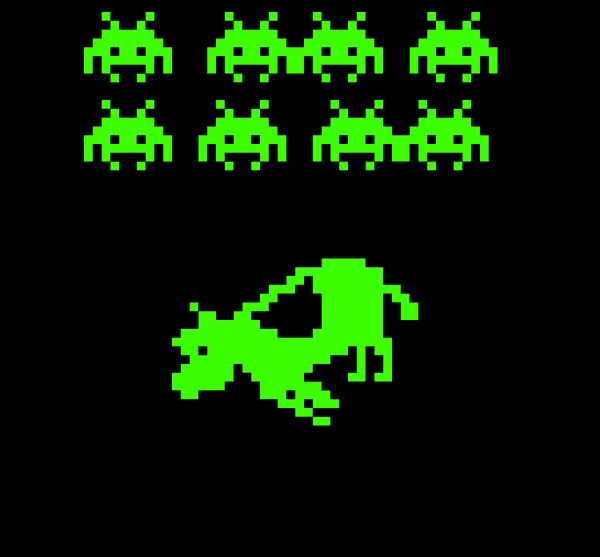
If you look at the code from this alien cow abduction animation you will immediately notice the tricks I am using to get a sensible frame rate.
Using pre-translated data definitions, I treat the PET 40 column by 25 row screen as 80×50 pixel resolution bitmap display. It reminds me of an even lower resolution Pico 8 kind of effect.
The visual objects have multiple frames generated allowing it to have “per-pixel” movement without changing the character X and Y location we are writing to.
So why did I not use this approach for the in-game graphics? There are a couple of problems with this approach in the actual game, though it has been done elsewhere and to great effect.
First, I wanted to have lots and lots of enemies on screen. These alien guys above look decent but take up a lot of screen real estate, and would be even more cramped on the Vic 20 with half the available text columns. By having one character cell per alien I can have a lot of them, which is closer in spirit to the arcade game than fewer, blockier enemies.
The object drawing code is done a couple of ways to show you there are options for defining and loading the data when using XC-BASIC3, though the technique applies no matter what language you use provided it can execute quickly enough.
REM USE DIRECT DATA WRITES TO DISPLAY ALIEN
SUB DRAW_ALIEN(ALIEND AS BYTE, AX AS INT, AY AS INT)
 MEMSHIFT @ALIEN(ALIEND),SCREEN_ADDRESSES(AY)+AX,6
 MEMSHIFT @ALIEN(ALIEND)+6,SCREEN_ADDRESSES(AY+1)+AX,6
 MEMSHIFT @ALIEN(ALIEND)+12,SCREEN_ADDRESSES(AY+2)+AX,6
 MEMSHIFT @ALIEN(ALIEND)+18,SCREEN_ADDRESSES(AY+3)+AX,6
 MEMSHIFT @ALIEN(ALIEND)+24,SCREEN_ADDRESSES(AY+4)+AX,6
END SUB
For the aliens I set up a string array, which involves first loading up the array from the data statements. Remember from previous parts in this series that MEMSHIFT allows us to safely write from source data to target memory ‘upwards’ so long as there is no overlap and @ in this context means “address of”. This means we read from the alien data address and write to the part of screen memory we need, using a lookup table of pre-calculated screen row addresses to avoid the calculations happening on the fly.
The floating cow doesn’t use an array, but it does use an offset:
MEMCPY @COWDATA+O, SCREEN_ADDRESSES(CY)+CX,15
It would be quicker to pre-calculate a lookup table to avoid some of the calculations again but it renders fast enough for a silly demo already.
Old-School PETSCII
Such tricks aren’t always necessary, especially when you are simply displaying information.
In fact, you might recall, PETSCII includes control codes as well as symbols. The following subroutine allows you to select an arbitrary X and Y coordinate to move the cursor to on screen. Ordinarily we would use a couple of POKEs, but this is fine if speed is not an issue.
SUB MOVE_TO(TEXT_X AS BYTE, TEXT_Y AS BYTE)
  PRINT CHR$(19); : REM HOME
  FOR I = 0 TO TEXT_Y - 1
    PRINT CHR$(17); : REM CURSOR DOWN
  NEXT I
  FOR I = 0 TO TEXT_X - 1
    PRINT CHR$(29); : REM CURSOR RIGHT
  NEXT I
END SUB
Of course, XC-BASIC3 also has TEXTAT which does a very similar thing, but does not translate or act on things like the clear screen or reverse control codes and instead displays the symbols on screen.
That’s great though if you want to, for example, draw a line under some text:
TEXTAT 14,15,"{100}{100}{100}{100}…
Full-Screen PETSCII Drawing
Interpreted BASIC is super slow at rendering a full screen of character data, but using compiled or assembled code has a distinct advantage.
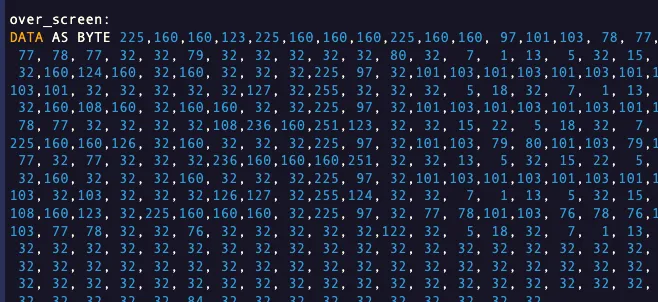
You can paste 1000 bytes of data into your listing …
and then tell the PET to copy those bytes into screen ram and boom, you have rendered your screen:
MEMSHIFT @over_screen,32768,996
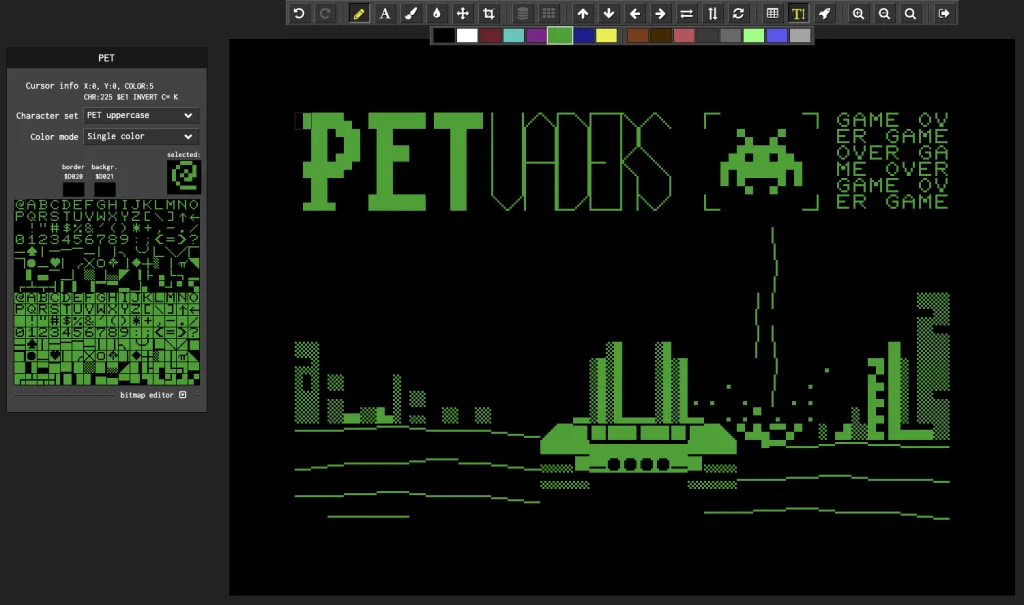
All I had to do is use a decent PETSCII screen editor and paste the data to test if I liked the result.
For visual interest I thought it would be cool to use another demo kind of technique and have a scrolling message. Again, this is low-tech, we simply take a slice of a larger string and display it, incrementing that slice as we go. So as not to pause execution while waiting for a keypress, we call a subroutine which checks the keyboard buffer each time we loop so execution is only broken when the player actually hits a key:
   MEMSHIFT @over_screen,32768,996
    DO WHILE K$=""
	CALL CHECK_KEY()
        TEXTAT 33,0,MID$(GAME_OVER$,SX,7)
        TEXTAT 33,1,MID$(GAME_OVER$,SX+8,7)
        TEXTAT 33,2,MID$(GAME_OVER$,SX+16,7)
        TEXTAT 33,3,MID$(GAME_OVER$,SX+24,7)
        TEXTAT 33,4,MID$(GAME_OVER$,SX+32,7)
        TEXTAT 33,5,MID$(GAME_OVER$,SX+40,7)
        IF SX<=48 THEN
          SX=SX+1
        ELSE
          SX=0
        END IF

        FOR FRAME_DELAY = 1 TO 3500: NEXT FRAME_DELAY
    LOOP
What Next?
I already got the PET game working on the C64 with minimal changes, but really it makes more sense to take the base code and see what can be done better on each platform rather than use the lowest spec version, so look out for that!
Original article by retrogamecoders.com